 Sey
SeyPublic portal
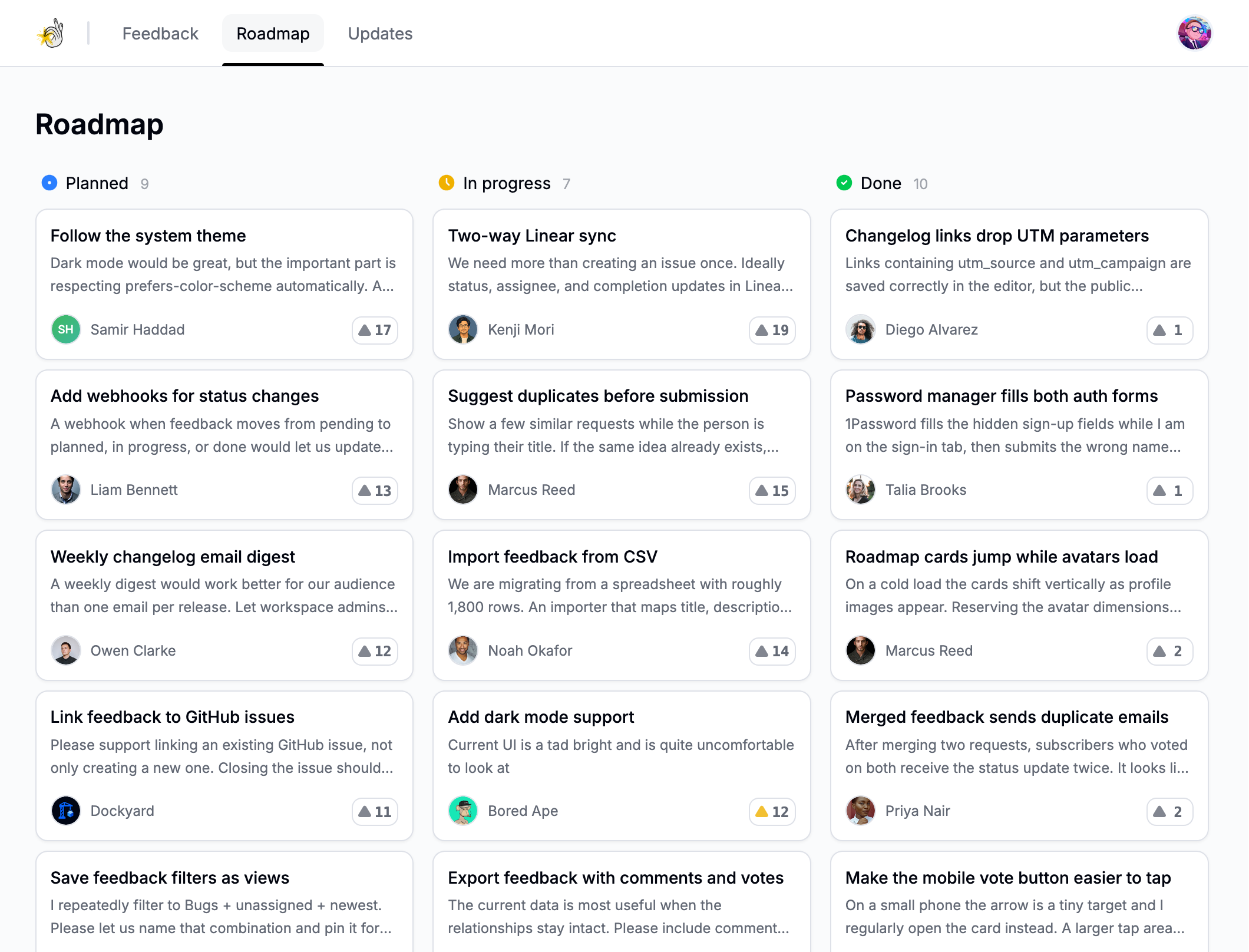
Your public portal brings feedback boards, roadmap items, and changelog updates together under one workspace identity.
Portal address
Every workspace receives a generated https://your-slug.sey.so address. It remains available after you connect a custom domain, and you can make either an active custom domain or the generated domain primary. See Custom domains.
Visibility
In Settings → Portal, you can show or hide each public surface:
- Show or hide the public roadmap.
- Show or hide pending feedback in portal and widget lists.
- Show or hide canceled feedback in portal and widget lists.
- Show or hide the public changelog.
Hiding pending or canceled feedback removes it from lists, but existing direct links remain available.
Public boards and their feedback can be viewed by anyone who can reach the portal. Private boards are hidden from the public portal and widget; use them for feedback that should only be managed by workspace members in the dashboard. See Feedback boards.
Review the visibility of each board before sharing your main portal link.
Feedback statuses on the portal
The portal shows the same statuses you set in the dashboard. Pending and canceled feedback respect your visibility settings above. The roadmap groups planned, in-progress, and done feedback. See Manage feedback for the full status list.
Search and sharing
Use direct links when pointing users to a specific board, roadmap item, or changelog post. Use the portal home when you want them to browse the full feedback loop.