 Sey
SeyComments
Comments let your team and customers discuss a submission in threaded replies. Each submission has its own comment thread.
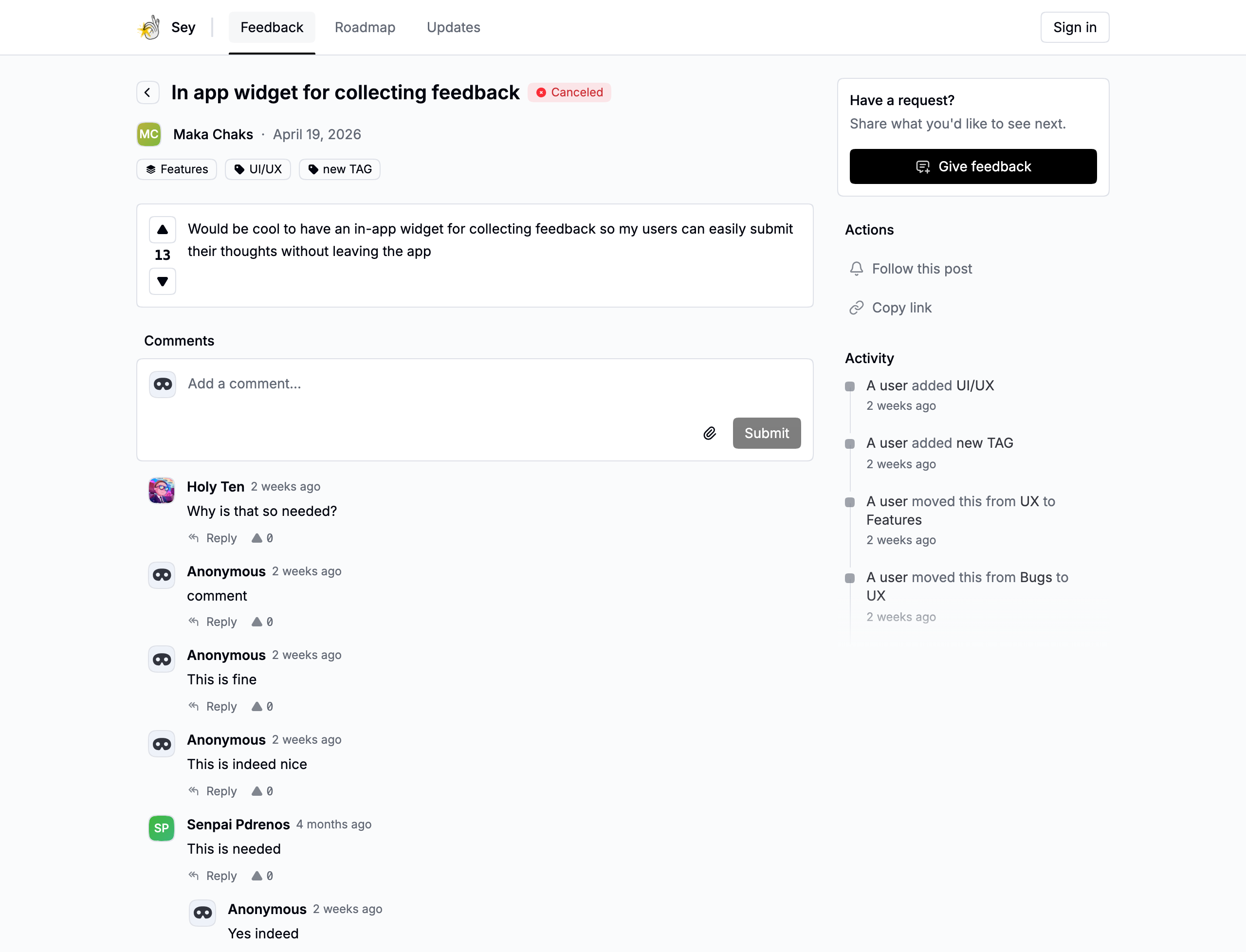
Reply and thread
Comments are two levels deep: a root comment, and replies grouped under it. Reply to a comment to keep related discussion together.
Comments can include image attachments, and any comment can be upvoted once. Repeating an upvote toggles it off.
Pin a comment
Pin a comment to surface it at the top of the thread. Pinning sends a notification to the comment's author.
Only workspace members can pin comments in the dashboard.
Edit and delete
A comment's author can edit or delete their own comment. Comments from other participants cannot be edited or removed by your team.
Authors
A comment author is shown as either a member (a workspace teammate whose email matches a participant) or an external participant. The distinction is visible in the dashboard so you can tell customer input apart from internal discussion.