 Sey
SeyManage feedback
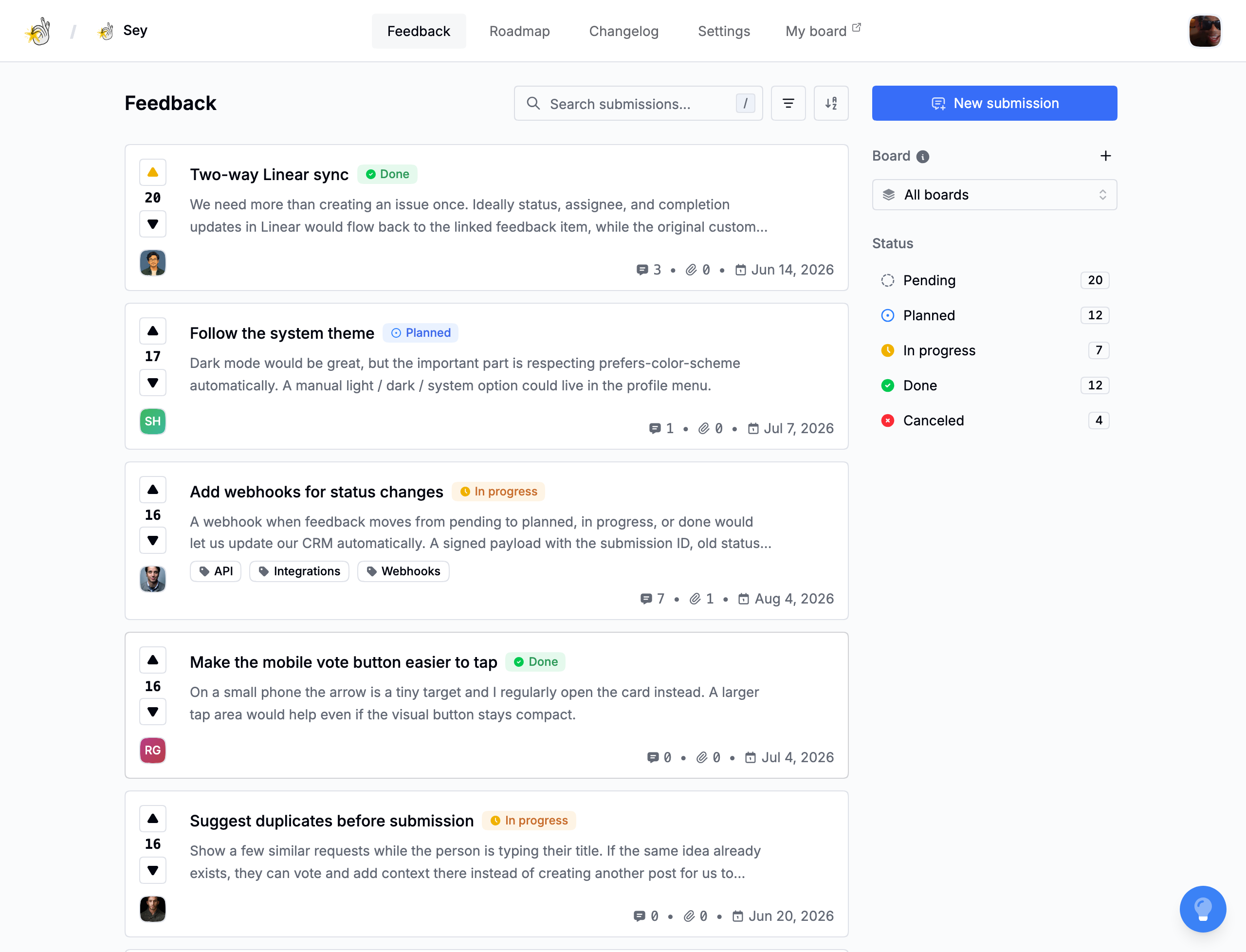
Feedback submissions arrive on a board as Pending. As you triage and ship, you move them through statuses so customers can see what is happening on the portal and roadmap.
Statuses
- Pending is awaiting review.
- Planned is intended for future work.
- In progress is actively being worked on.
- Done has shipped.
- Canceled will not be pursued.
The roadmap groups planned, in-progress, and done feedback into their corresponding columns. The portal and widget respect your workspace's visibility settings for pending and canceled feedback. See Public portal.
Tags
Tags add a second layer of organization across boards. Each workspace starts with a starter set: ui/ux, performance, integrations, mobile, and accessibility. Add or remove tags in Settings → Portal.
Manage tags from the tag filter in the feedback inbox, or from Settings → Portal. Tag names are unique per workspace.
Search and sort
The feedback inbox has full-text search across titles and details. Press / to focus search from the keyboard.
Sort options:
- Latest - newest first.
- Oldest - oldest first.
- Most votes - highest vote count.
- Least votes - lowest vote count.
- Trending - a recency-weighted vote ranking.
Combine search with the board, status, and tag filters to narrow the inbox. Status counts reflect the current filters.
Votes
Participants can upvote or downvote a submission once. Repeating the same vote toggles it off. Voting also follows the submission for the participant.
Attachments
Submissions support image attachments. They are presigned and uploaded to storage, and each attachment tracks an upload status of pending, completed, or failed.
Activity
Every submission keeps an activity log of what changed: created, status changed, board changed, title changed, description changed, tags changed, and attachments added or removed.
Follow
A participant is automatically followed to a submission when they create it, upvote it, or comment on it. They can also follow or unfollow manually.
Following a submission means status changes and new comments send notifications. See Notifications.