 Sey
SeyNotifications
Sey notifies participants about the activity that matters to them: replies, status changes on their feedback, and changelog posts. Each notification type has an email default, and participants can override it from their portal account.
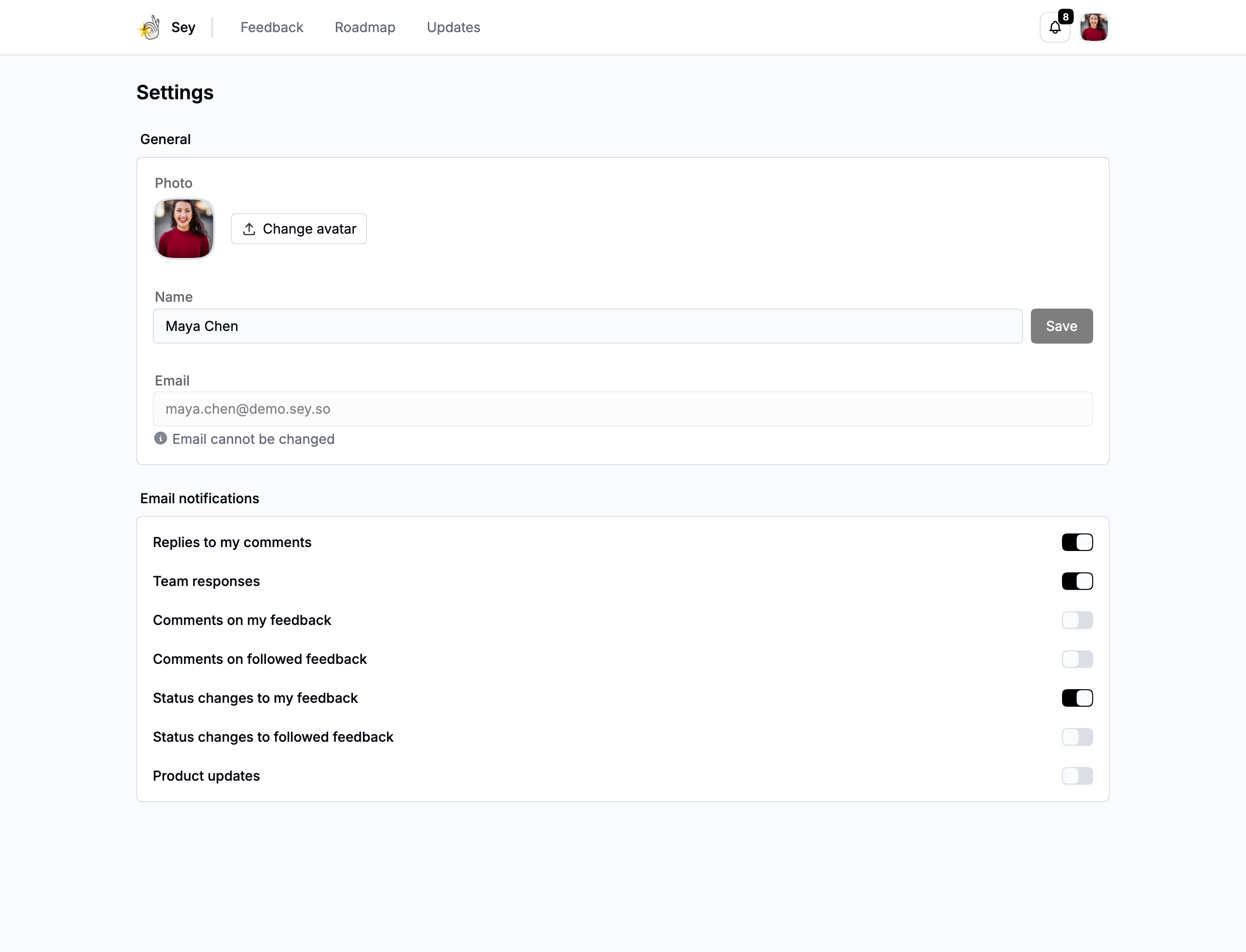
Notification types
| Type | Sent for | Email default |
|---|---|---|
| Reply created | A reply to your comment | On |
| Staff comment | A workspace member comments on a submission you follow | On |
| Participant comment | Another participant comments on a submission you follow | Off |
| Followed submission comment | A new comment on a submission you follow | Off |
| Own submission status changed | The status of a submission you authored changed | On |
| Followed submission status changed | The status of a submission you follow changed | Off |
| Changelog published | A new changelog post was published | Off |
| Comment pinned | Your comment was pinned | In-app only |
| Vote milestone | A submission you authored reached a vote threshold | In-app only |
Vote milestones fire at 10, 25, 50, 100, 250, 500, and 1000 upvotes.
Who gets notified
Every notification creates an in-app notification for the relevant participants, visible in the portal's notifications menu. Email delivery is separate: an email is sent only to participants who have email enabled for that type, using the defaults above until they change them.
Changelog notifications go to non-member participants. Your workspace members are not subscribed to customer-facing changelog or comment notifications the way customers are.
Change email preferences
Participants manage their own email preferences from the portal's Account page. Each notification type can be turned on or off individually. The defaults above apply until a participant changes them.
Unsubscribe
Every notification email includes a one-click unsubscribe link. Participants can also manage all of their preferences from Account → Email preferences.