 Sey
SeyRoadmap
The roadmap is a three-column view of feedback your team is acting on. It is sourced from submission statuses, so you do not maintain it separately.
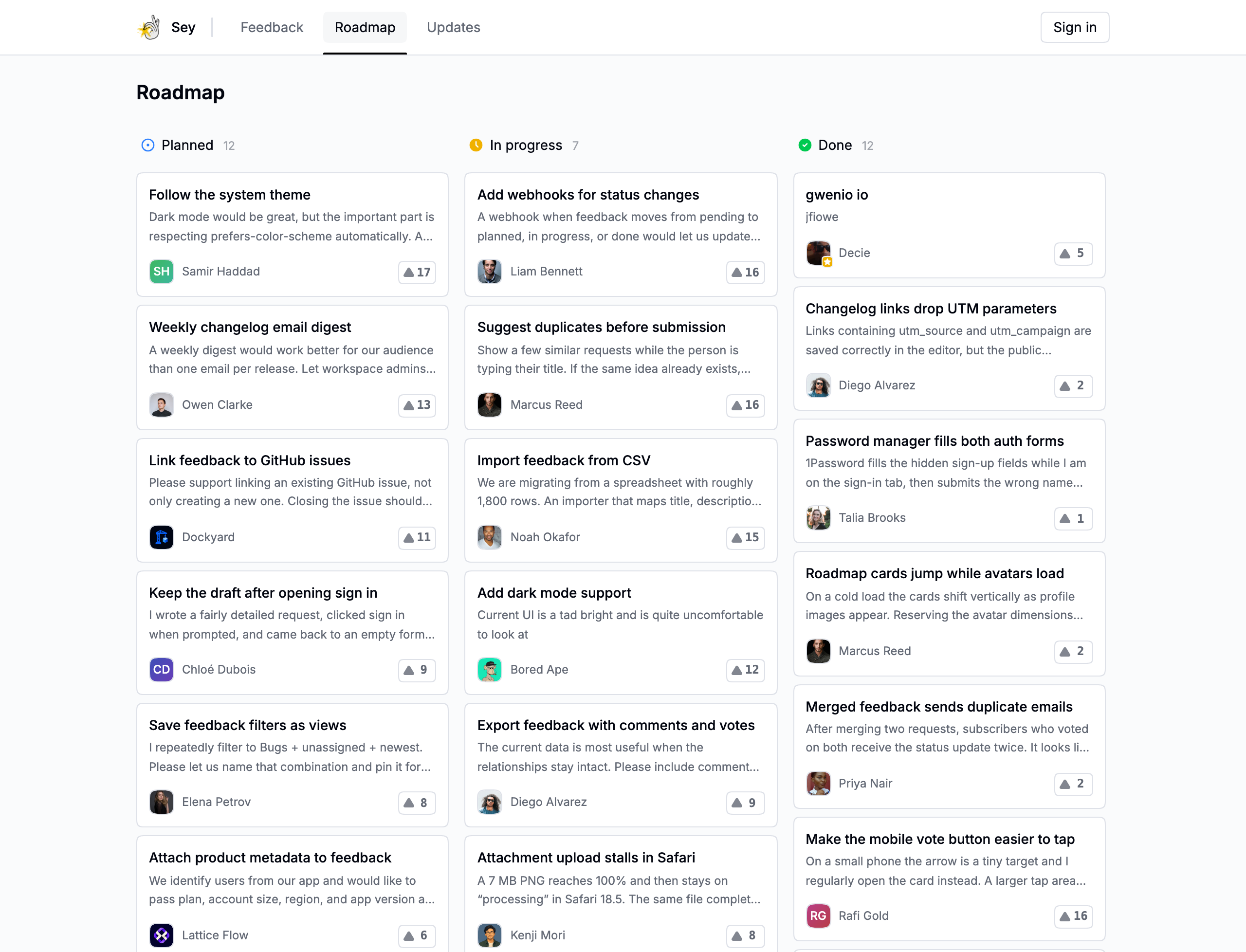
What appears
Only submissions in these statuses appear on the roadmap:
- Planned - the left column.
- In progress - the middle column.
- Done - the right column.
Pending and canceled feedback never appears on the roadmap, regardless of visibility settings.
Enable the roadmap
Turn the public roadmap on or off in Settings → Portal with Show roadmap. When hidden, the roadmap page is not available on the portal or widget.
The roadmap always reflects feedback from public boards. Private boards are not shown publicly.
Embed the roadmap in a README
Roadmap images are available on Pro. They provide a live SVG version of your public roadmap for GitHub README files, documentation, and other places that support remote images.
- Go to Settings → Portal.
- Turn on Show roadmap on portal.
- Turn on Enable roadmap image.
- Select Save changes.
- Copy either the image URL or the ready-to-paste Markdown.
The Markdown links the image back to your full roadmap. It follows this format:
[](https://feedback.example.com/roadmap)
The SVG updates automatically when roadmap items, votes, branding, or statuses change. It shows up to four items in each roadmap column. Turning off either the public roadmap or the roadmap image makes the SVG URL unavailable.
Move submissions
To add something to the roadmap, set its status to planned, in progress, or done from the feedback inbox or a submission. Setting it back to pending or canceled removes it from the roadmap. See Manage feedback.