 Sey
SeyBranding
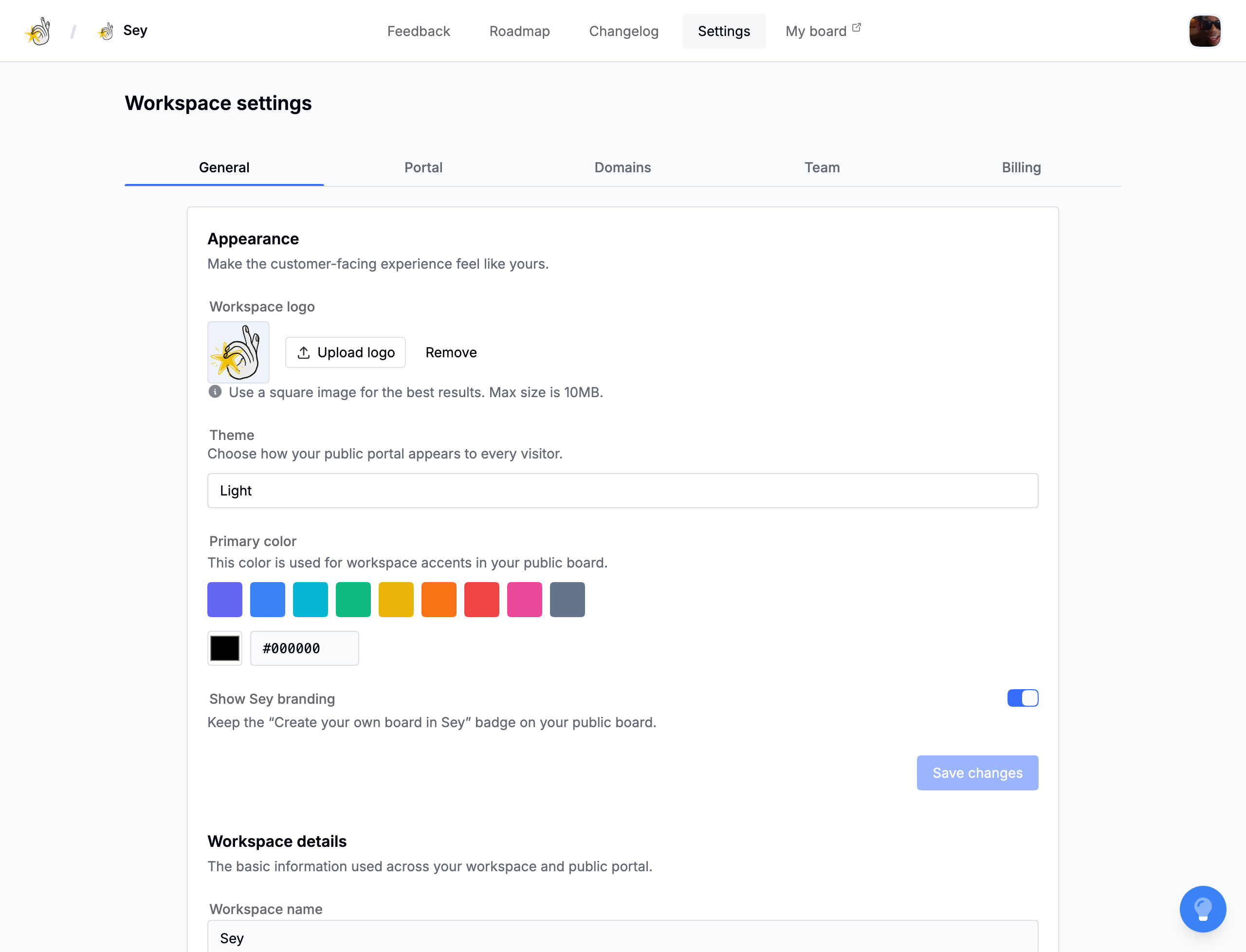
Sey uses a small set of workspace settings to brand the portal and widget consistently. Configure them in Settings → General.
Workspace identity
Set the workspace name and website URL. The name appears across the portal and widget header.
Theme
Choose light, dark, or dynamic. Dynamic follows the visitor's system preference. Preview both light and dark themes before sharing the portal.
Accent color
Set the workspace's primary color. The portal and widget use it for buttons, links, and highlights. The widget inherits this color automatically.
Logo
Upload a workspace logo. It appears in the portal and widget header.
Hide Sey branding
By default, the portal and widget show a small "Powered by Sey" mark. Removing it requires a plan that includes it. See Billing and plans.
If the workspace's plan no longer includes it, Sey re-adds the branding automatically and ignores the stored setting, so the portal stays consistent regardless of billing state.
Allow anonymous posts
Allow customers to submit feedback without identifying themselves. Requires a plan that includes it. When disabled, the widget generates an anonymous participant ID and asks for identification before submitting.
See Identity tokens and Widget SDK reference for how participant identity works.