 Sey
SeyQuickstart
This walks through the smallest end-to-end loop in Sey: collect one piece of feedback, move it through a status, and announce it on the changelog.
1. Open your portal
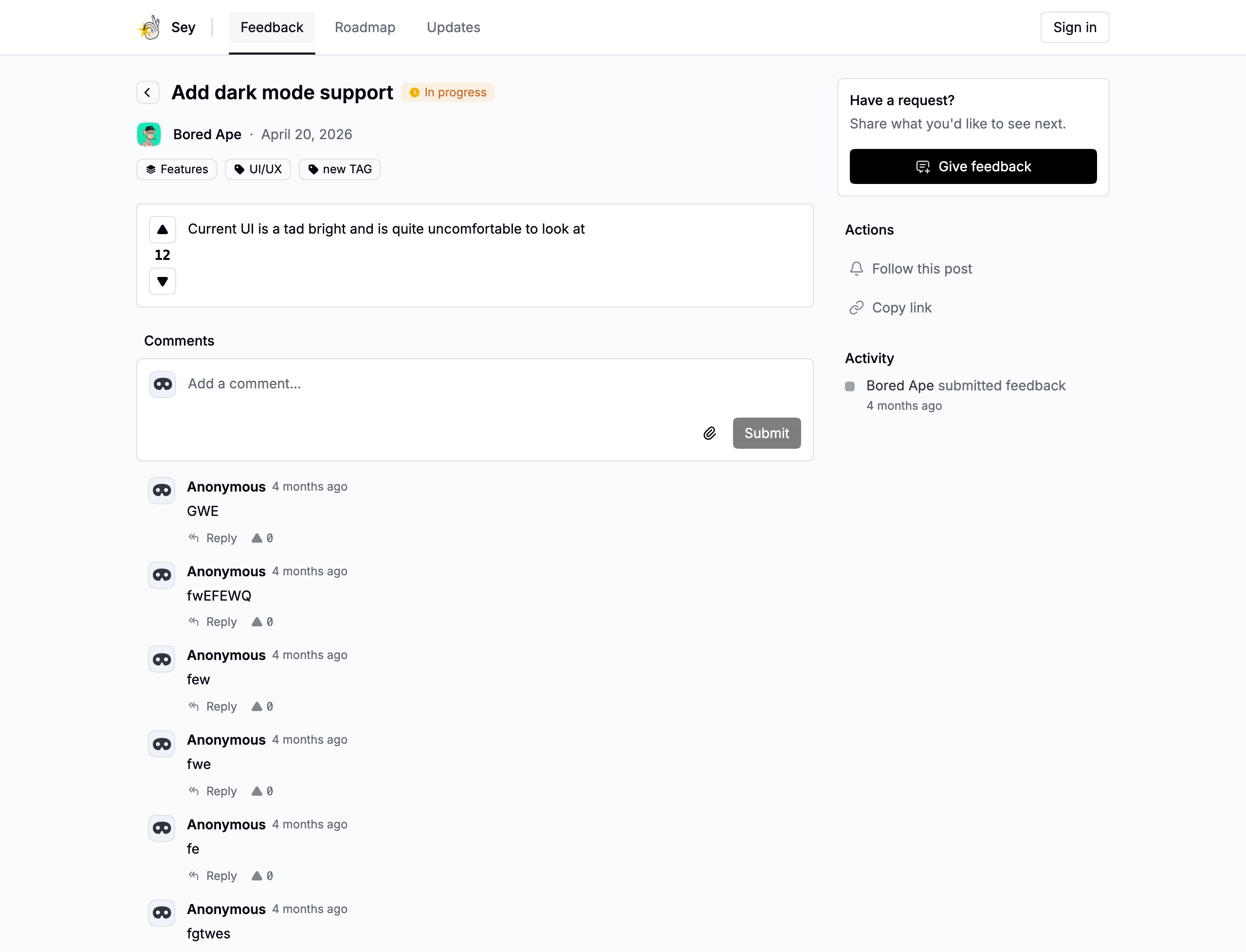
Open My board in the dashboard header, or visit https://your-slug.sey.so. Your workspace ships with two public boards, Bugs and Features.
2. Submit test feedback
On the portal, select Give feedback, write a title and details, choose a board, and submit. Open Feedback in the dashboard to confirm it arrived.
3. Set a status
On the submission in the dashboard, set a status to show what is happening with it:
- Pending - awaiting review.
- Planned - intended for future work.
- In progress - actively being worked on.
- Done - has shipped.
- Canceled - will not be pursued.
Planned, in-progress, and done feedback appear on the roadmap when the roadmap is enabled. See Manage feedback for tags, search, and following.
4. Publish a changelog
Open Changelog in the dashboard and create a short post describing the improvement and the customer outcome. Publish it, and it appears on your portal's updates page and notifies participants.
See Changelog for drafts, scheduled posts, authors, and tags.
5. Share the loop
Copy the portal link, or the direct link to the submission or changelog post, and share it with the customer who asked. Closed loops are what makes feedback feel worthwhile.